CAMPUS ALERT
Marquette undergraduate, Graduate School, GSM and School of Dentistry classes are canceled Jan. 23, 2026, due to weather. Campus is operational. For more information, please visit Marquette Today.


Library Accessibility - Finding Close Captioned Videos

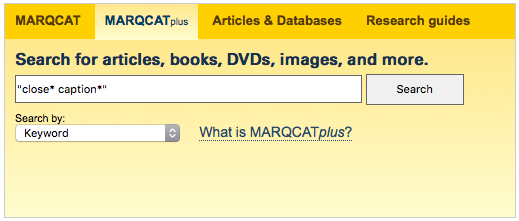
Browsing videos with closed captions is relatively simple using MARQCATplus. Go to the MARQCATplus search box on the Libraries’ homepage. Type “close* caption*” in the search field (including quotation marks), then hit Search.
Screenshot of MarqcatPlus search box

On the left-hand side of the results page that appears, find the Format Types filtering options and click on Videos to select that option.

Screenshot of format-type filtering options on the MarqcatPlus results screen

The page will automatically be refreshed to show only videos with closed-captioning.

Ask Raynor